

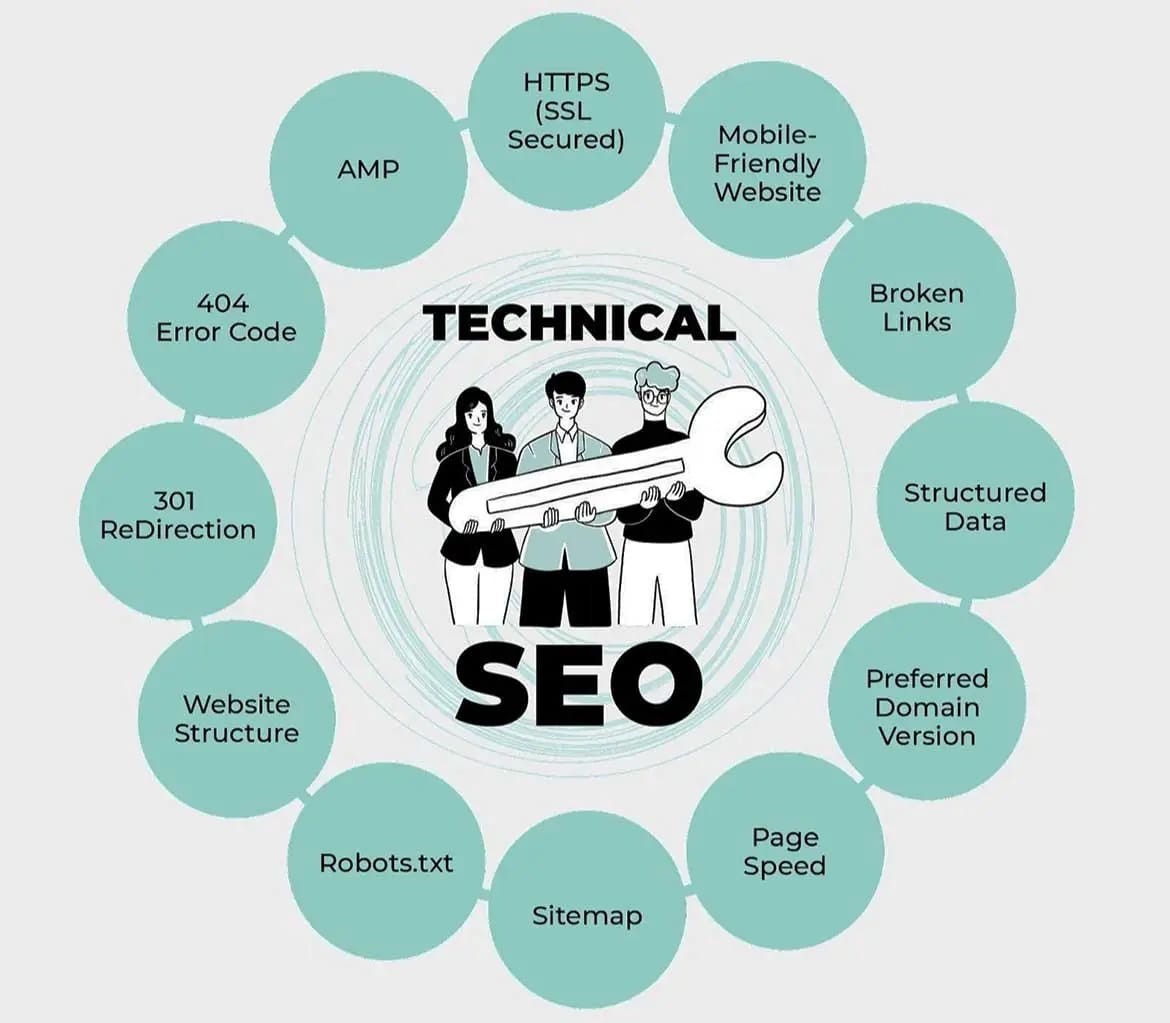
As we know that SEO is very important for any website. Unless you do SEO of your website well, it does not get traffic. In such a situation, Technical SEO is a technique which is very important for any website but many people do not know what Technical SEO is and do not pay much attention to it. Most people do only On Page SEO and Off Page SEO while writing content. But if the technical SEO of your website is not very good then the chances of your website ranking reduces.
However, you may be a little surprised to know that Technical SEO is much more important than Off Page SEO and On Page SEO for any website. Through this blog, you will be given complete information about what is Technical SEO (what is Technical SEO) and also you will know how to do Technical SEO for your website.
What Is Technical SEO?
Before knowing how to do Technical SEO for any website, it is important that we know that this is a technique with the help of which we fix the technical and internal factors of our website while doing SEO. By doing this, any search engine can crawl our website well and it also helps a lot in indexing the website. In this way the ranking of the website automatically goes up. Also, the search engine gives rewards to our website due to which the website ranking in SERP comes up.
Through Technical SEO tutorial, you can know that it includes things like coding of your site, sitemap submission, site architecture, indexing and crawling. In simple words, improving these things of your website is called technical SEO.
For example, every website has a Sitemap. Sitemap means a map of all the important pages of our website. Due to this, the search engine does not have to search much for our web pages to crawl, and it gets all the pages of the website at one place. By doing this the work of search engine becomes easier.
It is very important to update Sitemap regularly and by doing so the website gets rewards from search engines. Although there is no harm to your website by not updating, its ranking does not come up in the search engine.
Why Is Technical SEO important?
Once the content is written, everyone wants that the website should always appear on the first page in the search engine and this can happen only when the ranking of your website is high. To do this, it is very important to do technical SEO optimization along with On Page and Off Page SEO. If you want that your website can be detected properly by the search engine then it is necessary to have it properly indexed which can be done only with the help of Technical SEO.
Many things come into it like the response time of the website i.e. loading of the website in a very short time, telling the crawler (reader) of the search engine which pages of our website should not be indexed, keeping your website secure etc. If all these things are good in the website then the chances of getting traffic on it automatically increases.
Even Google itself does not rank such websites in the search engine whose technical SEO has not been done well. Because no search engine wants to show such websites to the user due to which the user’s experience is spoiled.
Today Google gives a lot of importance to the loading speed and design responsiveness of websites. The website which opens quickly and adapts itself properly to every device (i.e. Mobile, Desktop and Tablet), Google likes to show it to the people at the top of its search. Because they give good user experience to people and make their work easier.
If the technical SEO of our website is not good, then no matter how well we do the on-page and off-page SEO of our site, our chances of ranking on top in Google will be almost negligible.
Therefore, pay as much attention to the technical SEO of your website as you do to its off page and on page SEO. Because it is as important for your site as them.
Technical SEO Checklist
The complete checklist of Technical SEO is given below with the help of which we can do technical SEO of our website;
- Domain Name should be top level
- Install SSL Certificate
- Create XML Sitemap properly
- Optimize the Robots.txt file
- Take care of Canonical Tag
- Website layout should be simple
- Take special care of loading speed
- It is very important for the website to be mobile friendly.
- Should be Crawlable
- Use Schema Markup
- Fix Broken link
- Reduce Spam score
- Search Google search console
How To Do Technical SEO?
Now that we have understood what technical SEO is, we will now see how we can do technical SEO.
1. Domain Name should be well accessible
If you want the technical SEO of your website to be good, then it is important that you take only a top level domain and for your information, any website can be accessed both with www and without www. Although both these things access the same website, it is important that in both ways the website opens in the same version.
2. Install HTTPs and SSL Certificate properly
You must have noticed that in some websites http is written and in some it is https. Out of these, the website with https is more secure. In such a situation, Google gives more preference to these websites than others. Similarly, the website which has SSL certificate installed also comes up in the search engine.
3. Create a proper XML sitemap
XML sitemap is very important for any website. With its help, a map of the website is prepared for search engine bots, which helps in crawling the website. Also, with its help, you can also index every important URL of the website. Therefore, it is important to create an XML sitemap and also submit it to the Google console.
4. Optimize the Robots.txt file
Robots.txt file lets the search engine know about those web pages which the search engine should not crawl. It is very important for the search engine to know which web pages to crawl and which to ignore.
For example, when you do online transactions, the search engine does not crawl everything, if it is done then it will increase the risk of privacy. In such a situation, we have to tell the search engine which pages it should not crawl.
To give these instructions, you have to create a Robots.txt file which contains a list of all the URLs, which URLs you have refused to crawl and which ones you have allowed. If you do not do this, you may also face the problem of crawl budget because your website starts calling all the pages even if you do not want to. It is important that you optimize Robots.txt properly because if it is not done properly then many times the search engine stops crawling your important pages.
5. Use Canonical Tags
There is an HTML tag in the head section of the website which is called Canonical Tag. This tag tells the search engine which is the most preferred URL of our website. Only with its help we can index the required URL. In simple words, this tag is used for better crawling and indexing of your website. By using this, only the main URL is tagged and the rest of the URLs similar to it are ignored.
6. Always keep the layout of the website simple
Always keep one thing in mind that the simpler the layout of your website, the better your website is considered. Do not use too complicated and fancy things in the website. If your website is simple then people stay on it for a longer time and due to this the bounce rate and exit rate of your website also improves.
7. It is important that the loading speed of the website is always fast
People who do not know much about SEO also know that if any website takes too much time to open, then people do not like to stay on it too much and due to this, the ranking of the website automatically starts going down. If any website opens completely in two to three seconds, then it is considered to have good loading speed. This is also very important from SEO point of view. To ensure good website speed, you can invest in fast web hosting. in addition
8. It is very important for the website to be mobile friendly
We know that nowadays many people open websites on their mobile only. About 75% people use the internet on their mobile phones only. In such a situation, it is very important that your website works equally well on mobile as it works on desktop. No matter how good a website you create, if it does not run well on mobile then it is certain that its traffic will decrease. To make the website mobile friendly, you can use different methods like always making the website light weight for mobile. You can use a theme like Generatepress or you can also use AMP (Accelerated Mobile pages) to create a website.
9. Website should always be crawlable
Many people do not know but search engines have a fixed budget to crawl any website. Both time and resources together make this budget. It is important that when the crawler comes to your website, it should crawl properly, otherwise your budget also gets exhausted and the ranking of your website also does not come up in the search engine.
10. There should not be broken links in the website
Many times you must have noticed that when you open a website, you start seeing different types of errors such as Error 404. This happens when there is some kind of broken link in the website. This is not at all good for technical SEO. If you see something like this in your website, then correct it immediately.
11. Spam score should remain low
If there are too many bad backlinks on your website, then gradually the Spam Score of your website starts increasing. It is never good to have a high spam score of a website because due to this, the ranking of your website gradually starts falling in the search engines and after a time the traffic on the website stops completely. If this is happening with your website, then find the bad backlink as soon as possible and disavow it with the help of Google Disavow tool.
12. Add Schema markup to the website
You can use Schema Markup to feature your website in Google’s features snippet and people also ask for box. You can use SEO Plugin to add this.
13. Fix Google Search Console errors immediately
It is important that you register your website on the search console, by doing this you can see all the errors coming in your website on the console. If any internal error is coming in your Google Search Console, then try to fix it immediately. By doing this the technical SEO of your website remains good.
FAQs On Technical SEO
1. What is Tech Audit in SEO?
Ans. Tech Audit is done to properly check the technical aspects of your website. This audit checks whether a site is properly optimized according to Google, Bing, Yahoo etc.
2. How is technical SEO done?
Ans. There are some techniques to do technical SEO:
Domain Name, Install SSL Certificate,Create XML Sitemap, Optimize Robots.txt File, Canonical Tag, Website Layout, Loading Speed, Mobile Friendly, SHould be Crawlable, Use schema Markup
3. When should I do Technical SEO?
Ans. If you want to increase search or organic traffic then you can do technical SEO. Most eCommerce websites should adopt technical SEO.
4. Is technical SEO on page or off page?
Ans. Here, by working on the page, it means that whatever optimization or changes we make on our website comes under the on the page. Therefore on page SEO and technical SEO come in the same category.
Read Also:
- What Is Technical SEO And How To Do Technical SEO? (Easy Ways)
- What Is Technical SEO? What Is Technical SEO And Its Benefits?
- Technical SEO: Complete Guide To Making Your Website Search Engine Friendly
- Top SEO Interview Questions Answers
- What Topic Should You Choose For Your Blog
- What Is Google Analytics? Uses, Features
- How To Write Articles On Google And Earn Money
- How To Connect Blog With Google Adsense
- How To Earn From Blog Or Blogging – Complete Information
- What Is Google Adsense, What Is It Useful For
- How To Monetize A Blog
- How To Learn Blogging And Earn Money
- What Is SEO And Why To Learn
- What Is SEO, Search Engines Understand The Types And Advantages Of Optimization
- Keyword Research For Uploading Videos To Youtube
- What Is Semrush? How To Do Keyword Research With It? Semrush SEO Tool
- What Is Keyword Density? Every Blogger Should Know
- 30 Bad Effects Of Blogging Work On Health
- Blogging: Is Passion A Key Factor
- How To Become A Master At Your Blogging Craft
- How To Start A Blogging Business
