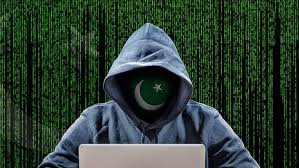


On April 22, 27 innocent people lost their lives in the terrorist attack in Pahalgam. After this attack, the Indian government carried out air strikes on terrorist bases in Pakistan.
Since then, there is an atmosphere of tension on the border between India and Pakistan. Pakistan has tried to attack through hundreds of drones from across the border, which has been foiled by the Indian Air Defense System.
Along with drone and missile attacks, Pakistan can adopt tactics like cyber attack.
This can include attacks like phishing and malware. In such a situation, we need to be alert and take some necessary steps to keep our digital data safe.
In such a situation, today in the column of ‘Cyber Literacy’ we will know that-
- How to avoid the danger of cyber attack by Pakistani hackers?
- What to do if you accidentally click on a suspicious link or PDF?
How to identify phishing websites?
Question-1: How to avoid cyber attack by Pakistani hackers?
Answer- At present, there is a war like situation between India and Pakistan. During this time, Pakistani hackers are trying to target Indian users. According to cyber expert Ishan Sinha, Pakistani hackers have named this malware attack as ‘Dance of the Hillary’.
Hackers are sending this malware in messages, emails, social media handles and groups. In such a situation, caution is the biggest security to avoid cyber attack. Therefore, always keep the operating system and apps of your smartphone and computer updated.
Question-2: Can WhatsApp also be hacked? How to prevent this from happening?
Answer- WhatsApp chats are end to end encrypted. In such a situation, chats cannot be hacked. Even WhatsApp cannot read these chats. But the data present in the form of files in the device can be hacked through malware.
Pakistani hackers can steal OTP and other personal information of the phone by sending malware. Apps like WhatsApp and Telegram can become a medium for malware attack in your device.
Hackers send a link on your WhatsApp and as soon as you click on the link, malware can enter your device. Your banking details and data can be stolen.
If you are getting such links from an unknown number, you are being added to Telegram or WhatsApp group by an unknown number. There, surprising and unbelievable information is being given, which has not been confirmed by the Government of India, then be careful.
In such a situation, block the groups and numbers. Avoid posting such information on social media.
Question-3: What to do if you accidentally click on a suspicious link or PDF?
Answer- If you accidentally click on a suspicious link or open an attached suspicious PDF file while using the Internet, then you can take some measures immediately after that.
Turn off the internet connection: First of all, turn off the internet connection of your phone or computer immediately. This will prevent malware from spreading through the network if it is downloaded.
Change passwords and banking details immediately: Immediately change the password of every account you logged into recently. Change the credentials of your banking apps. If you logged into a banking website on a fake link, inform the bank immediately and keep an eye on your account.
Scan smartphones and laptops with the help of antivirus: Run a trusted antivirus on your device and scan the entire device. If any suspicious file has been downloaded, delete it.
Take the help of a cyber expert and report to the cyber cell: Contact a cyber security expert or local cyber cell. Apart from this, also report to CERT-In. You can send your complaint to incident@cert-in.org.in or register a complaint by calling the national helpline 1930 of Cyber Crime Cell.
Question-4: How to identify Pakistani phishing websites?
Answer- Phishing websites look exactly like the real ones. In such a situation, a person becomes their victim by mistake.
Their domain name and interface are also similar to the real websites. In such a situation, to identify them, we need to pay attention to some important things.
Check URL and SSL: Keep in mind that the website should be secure. The URL of secure websites starts with https:// and a padlock symbol is visible in the address bar. Data is encrypted only when there is ‘S’ (SSL protocol). If the website is http:// or is not locked, then it may be an unsafe website.
Pay attention to the domain name of the website: Look at the spelling of the words in the URL. Many times phishing sites make minor changes to make it look real. The URL of the website of the Ministry of Home Affairs, Government of India is (https://www.mha.gov.in). Hackers can create a fake website with a similar name (https://www.mhaind.com).
Beware of lure offers: Phishing emails or messages often contain visual traps, such as offers and urgent messages, which entice you to click on a link. Always click on any link or attachment carefully.
Poor web design and language: Phishing sites may contain spelling mistakes, poor language or low-resolution pictures. The original company’s website often looks professional, while fake sites may have typos, poor colours and poor layout.
Note: Do not trust any rumours, videos and pictures circulating on social media. Trust only the information released by the Government of India.
Read Also:
- Common Types Of Health Fraud Scams
- Beware Of TheClassicMate.com: A Fraudulent Dating Platform That Scammed Me of ₹51,800
- Types Of Scams
- Cyber Literacy- Beware Of UPI Auto Pay Scam: Always Keep In Mind Five Things, Now Don;t Pay For Unknown Payment Requests, Check Out The Maths Of This Rip-Off
- Preventive Measures To Protect Yourself From Romance And Dating Website Scams
- Romance And Dating Website Scams
- Scam And Fraud Report theclassicmate.com
- Types Of Frauds And Scams
- Email Frauds
- How To Protect Yourself From Online Fraud
- Warnings About Fraud And Cyber Crime
- Whatsapp Banned From Officials Gadgets In US: Authorities Asked To Remove App Due To Security Concerns, Cyberattack Concerns Too
- Cyber Literacy- A Name Can Empty Your Financial Institution Account: Stay Safe From Voice Cloning, Become Aware Of Fraudulent Telesalesmartphone Calls With Those Eleven Approaches
- Fraud With Flipkart Mortgage Calls: Be Cautious While Taking A Virtual Mortgage, Keep These 6 Important Things In Mind
- New Zealand MP Confirms Her Deepfake Nude In Parliament: Fake Snap Shots Are Being Made In Five Minutes With The Help Of Using AI, One Way To Keep Away From It, Is To Realize 10 Precautions
- Financial Frauds
- Payment Fraud